An Encrypted Connection To Your Mail Server Is Not Available in Office 365 – Fix It


Sometimes a situation occurs where Microsoft users are unable to set up email for Office 365 user in MS Outlook. They encounter the above-mentioned error statement. It stops the ongoing functionality of users while working with the respective mail client. To take out individuals from this kind of hurdle, here are we to demonstrate a troubleshoot solution over it.
Imagine this – “When I was trying to sync my Office 365 tenant in MS Outlook 2016 through Auto Account setup panel, I was facing password prompt window repeatedly. At one point, I encountered an error ‘An Encrypted Connection To Your Mail Server Is Not Available Office 365’. Eventually, the ongoing procedure got failed and I was asked to again enter my tenant username (which was entered correctly from my end). Can anyone tell me what is going on and why it is happening to me? Please suggest a solution over it!”
Reasons Behind the Error Occurrence
This Microsoft error is the general connectivity issue, which might occur due to different reasons. It occurs when an individual or more of the following scenarios are true :
- Office 365 tenant credentials i.e., username or password are entered wrong.
- Presence of issues in Autodiscover feature prevents Outlook from identifying an accurate set of information from Exchange Online account.
- Problems associated with network connectivity result in prevention of Outlook from establishing a secure connection with the servers of Office 365.
- Restrictions imposed in an O365 tenant cause in preventing connection between Outlook and O365
A Totally Free Solution for Fixing Microsoft Error
‘An Encrypted Connection To Your Mail Server Is Not Available Office 365’ error is basically caused due to the issue in connection procedure between Microsoft Outlook and Office 365. Basically, an individual needs to fix the connectivity issue between both of them so as to get rid of this problem. You can make use of Microsoft Support and Recover Assistant utility to fix this.
- Open the web browser on your machine and navigate towards https://diagnostics.outlook.com/#/ this website
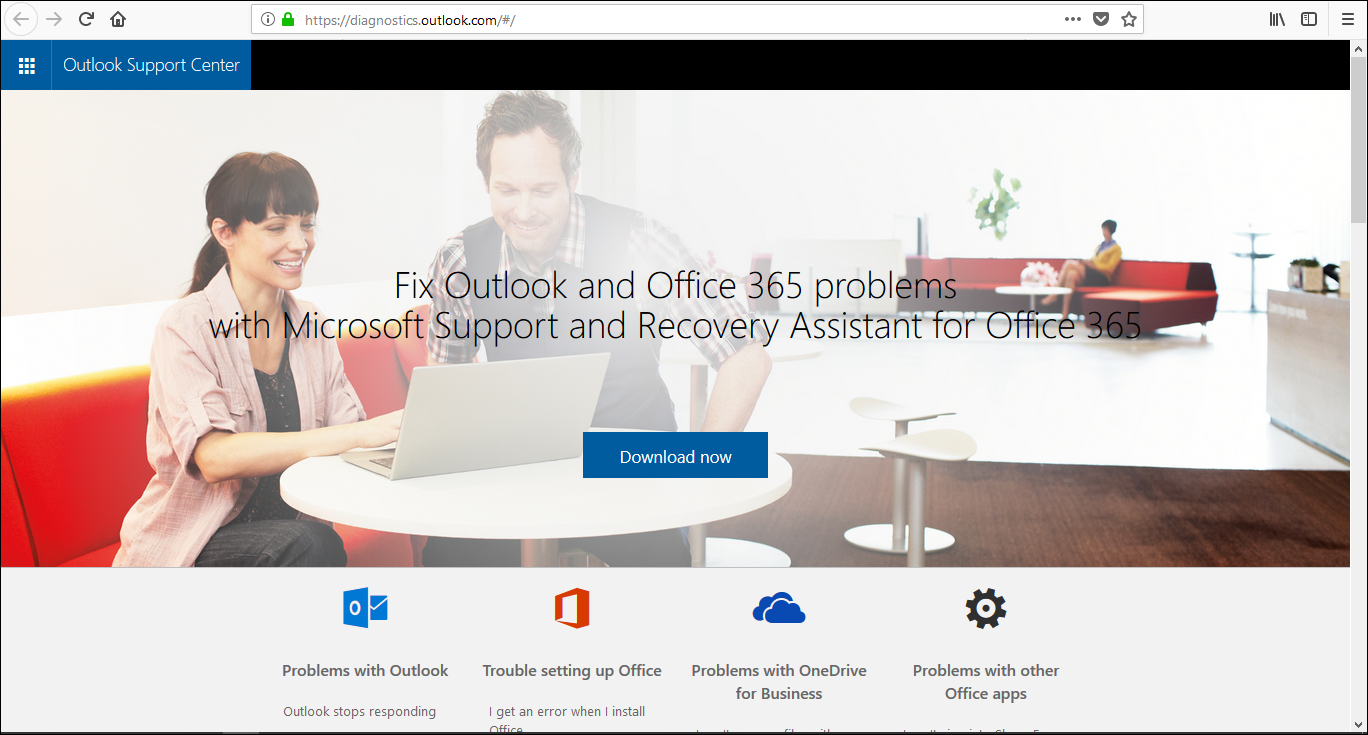
- You will find a Download Now button. Click on it to proceed further

- A permission dialog box appears in which you have to click on Save File.
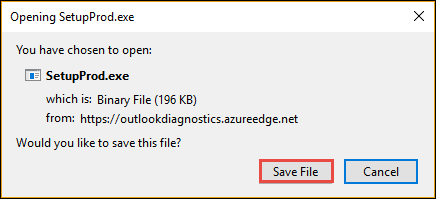
- Once the downloading procedure gets finished, install SetupProd.exe setup file on your PC
- Microsoft support and recovery assistant software will start its work by executing different tests for addressing the major issue.
On the problem detection, this free utility will troubleshoot the problem in its own way and provide you with a detailed issue report.
Conclusion
‘An Encrypted Connection To Your Mail Server Is Not Available Office 365’ error statement occurs when connectivity issue between the two servers is present. One can simply fix it for free with help of Microsoft provided tool i.e., Support and recovery assistant. Even if things are not working then, contact to anyone executive of Microsoft support team.
